



Adobe Stock is a leading microstock agency where contributors earn a 33% royalty on photos and 35% on video. You can become an Adobe Stock contributor by registering for free, providing your tax details, and submitting files that meet the strict 4-megapixel to 100-megapixel size requirements. A minimum payout is available once your royalties reach $25.
Adobe Stock contributor requirements
Requirement | Details |
|---|---|
Age limit | You must be at least 18 years old. |
Account limits | One account per contributor. |
Tax setup | You must submit a residential address and complete a tax form. |
Payout method | You need an active PayPal, Payoneer, or Skrill account. |
Legal accuracy | Your name, email, and country must perfectly match your legal documents. |
Every new contributor must meet these criteria before selling content on Adobe Stock. These rules ensure that Adobe can pay you legally.
How to sign up as an Adobe Stock contributor
Go to the official sign-up page at contributor.stock.adobe.com.
Choose "Link my Adobe ID" if you have an existing account, or "Join now" to create a new one.
Complete your profile by entering your legal name and a public display name.
Enter your residential address to process your tax form.
Verify your email address and attach a phone number.

Setting up your Adobe Stock contributor portal takes only a few minutes. You can start preparing your first upload immediately after Adobe verifies your email.
What you can sell
Photo Requirement | Allowed Value |
|---|---|
File format | JPEG |
Color space | sRGB |
Minimum resolution | 4 MP (megapixels) |
Maximum resolution | 100 MP (megapixels) |
Maximum file size | 45 MB |
File contents | No watermarks, timestamps, logos, or branding |
You can sell photos, videos, vectors, illustrations, and design templates. Adobe Stock also accepts AI-generated content, provided you mark it clearly. If you plan to sell AI images on Adobe Stock, you must check the generative AI box during upload. The file must not contain real names, brand names, or reference the styles of real artists. Photorealistic AI files go into the Photos category.
Check that your files meet the exact specifications before you export them. Adobe rejects files that fall outside these technical limits.
How to upload to Adobe Stock
Drag and drop your files directly into the Uploaded Files page inside your portal.
Click a file to open the metadata panel on the right side.
Select the correct category for your image.
Type your title and add up to 49 keywords.
Tick the generative AI checkbox if applicable, and answer the recognizable people or property question.
Attach a model or property release if your image contains a recognizable person, artwork, or private property.
Click the Submit button.
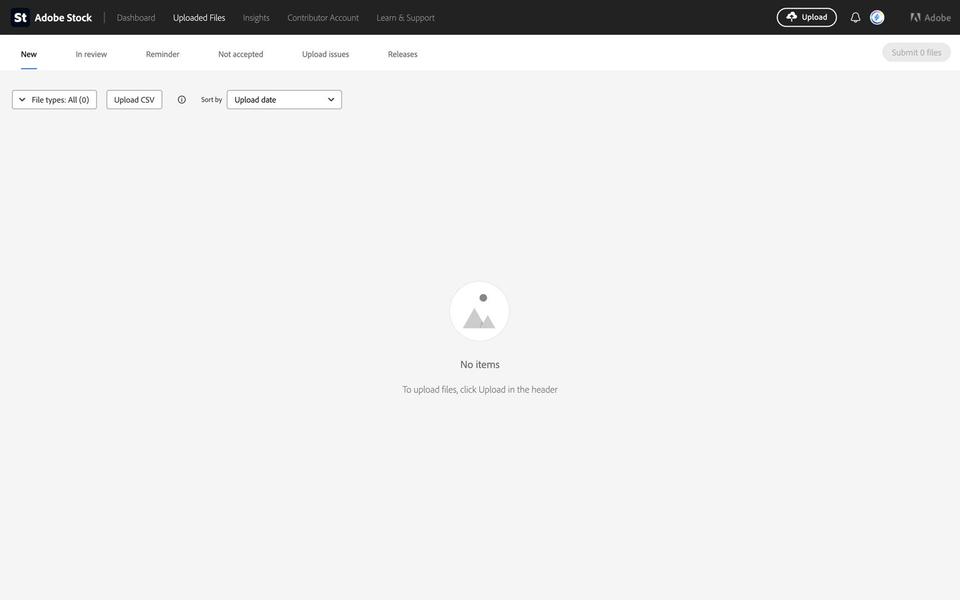
You can upload your files directly through your web browser. If you shoot massive video files, Adobe offers an SFTP upload method. You might see a weekly submission limit on your portal. When Adobe shows this limit, the Submit button is greyed out until the counter resets. Moderation reviews every file you submit, and Adobe Stock does not require an entry exam.
Titles and keywords that get found
Buyers find your files by typing words into a search bar. The account and submission guidelines state that metadata must not contain logos, company names, newsworthy event implications, artist names, or fictional character names.
Adobe gives the first 10 keywords the most weight. You must order your tags by importance to get the best search ranking.

If you submit a photo of a woman drinking coffee in a cafe, your best Adobe Stock keywords are the literal ones. Put concrete words like "woman", "coffee", "cafe", "drinking", and "cup" in the first 10 spots. Add broader concepts like "morning" or "lifestyle" toward the end of your list. Keep your title under 70 characters. The proper approach to Adobe Stock title guidelines is writing a factual phrase, like "Young woman drinking coffee at a cafe table". Do not write a paragraph.
Getting approved: avoid the common refusals
View the image at 100 percent zoom and confirm sharp focus on the main subject.
Remove all logos, brand names, and trademarked designs.
Attach a signed release for any recognizable person.
Label generative AI files correctly using the checkbox.
Eliminate heavy noise and obvious editing artifacts.
Adobe reviews every file for technical quality and legal safety. You will face rejections if you ignore the basics. Check this simple list before you upload. If you struggle with the review process, read our detailed guide on Adobe Stock rejection reasons.
How Adobe Stock pays
Adobe Stock pays a flat royalty rate. You earn 33% on photos, vectors, and illustrations, and 35% on video. There are no performance tiers to climb.
You can request a payout once your earnings reach the $25 minimum. Your first payout requires a 45-day waiting period after your first sale. Adobe pays through PayPal, Payoneer, or Skrill. You can read more about how much Adobe Stock pays to set realistic expectations.
Your first 30 days plan
Concept | Search Demand | Competition on Adobe Stock | Verdict |
|---|---|---|---|
Veterans Day | High (14.5x) | ~242,000 files | Shoot. Low competition with high buyer interest. |
Christmas | High (6.1x) | ~20.2 million files | Skip. The market is oversaturated. |
Starting a stock portfolio takes organization. Follow this weekly Adobe Stock contributor tutorial 2026 plan to build a smooth routine.
Week 1: Find what buyers want Do not shoot random subjects. Use the Discover feature in CyberStock to check demand. For example, Discover shows that "Veterans Day" has a High 14.5x demand with about 242,000 competing files on Adobe Stock. "Christmas" has a 6.1x demand with about 20.2 million competing files. Veterans Day gives you 80 times less competition.

Week 2: Shoot and edit Produce 50 high-quality files based on your research. Edit them for perfect focus and correct color. Ensure every file is a JPEG between 4 MP and 100 MP.
Week 3: Keyword and upload Use an AI tool to write titles and order your keywords by buyer demand. Upload your batch to the portal, attach releases, and submit the files for review.
Week 4: Analyze and repeat Check your portal for approved files and note any rejections. Learn from the mistakes and plan your next shoot.
Speed it up with CyberStock
Writing metadata by hand for hundreds of files is slow. CyberStock (cyberstock.lol) is an AI keywording and upload tool for stock contributors built by Alex Bonapart, a working contributor.
CyberStock handles catalogs of 100,000 files or more. One run formats titles, descriptions, and keywords for 26 stock sites (including Adobe Stock, Shutterstock, and Getty Images) in 39 languages. The tool orders keywords by buyer demand based on over 50 million real buyer searches. Adobe Stock gives the first 10 keywords the most weight, so the strongest buyer terms go first. If you want a specific word first, you can put it in the "Required starting keywords" setting.
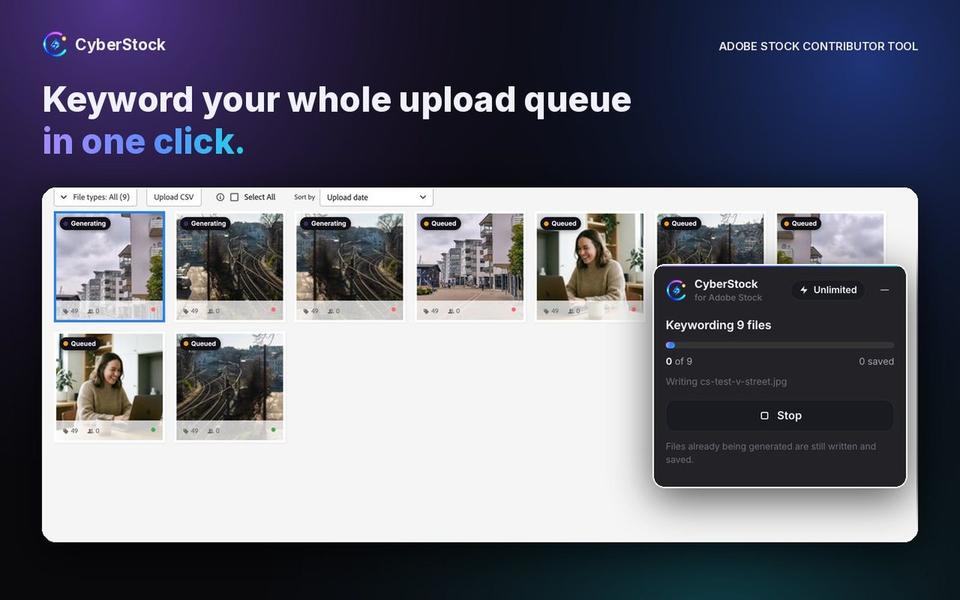
To make the process faster on the portal, use the CyberStock for Adobe Stock extension for Chrome. It writes a short or full title and 5 to 49 keywords into Adobe's own fields for every file in your upload queue. The extension also answers the generative AI checkbox and the recognizable people or property question. It saves the metadata, but it never presses Submit. It costs 1 credit per file.
If you upload to multiple agencies, CyberPusher 2.0 automatically uploads and submits to Shutterstock, Adobe Stock, Getty Images / iStock, and Depositphotos directly from your own contributor accounts. CyberStock does not take any commission on your royalties, and it uses your own CAPTCHA-solver key (or pauses to show you the challenge).
A new account gets 20 free credits after email confirmation with no credit card needed. You can also try the free Adobe Stock title generator without signing up. If you need more credits without a subscription, check out our pricing for credit packs (50 credits for $2.99, 100 credits for $4.99, or 1,000 credits for $24.99). These credits never expire. Monthly plans like Starter ($9 per month for 300 credits) or Pro ($19 per month for 1,000 credits) add the Discover tool for research.
FAQ
Is becoming an Adobe Stock contributor free? Yes, signing up as a contributor is completely free. You only need a valid email, phone number, and a supported payout method to get started.
Is there an entry exam for Adobe Stock? No, there is no entry exam or test to pass. Every file you upload is reviewed by moderation for technical and legal standards.
How long does file review take? The review time varies based on the current upload volume. Your files will sit in the In Review tab until a moderator checks them.
How much can I earn? You earn a 33% royalty on photos and illustrations, and a 35% royalty on videos for each license sold.
Can I sell AI images? Yes, you can sell AI images. You must tick the "Created using generative AI tools" box during upload and ensure there are no references to real people or artists.
Can I sell the same photos elsewhere? Yes, you retain the copyright to your work. You can sell the same files on other agencies like Shutterstock or Getty Images.
In short
You need a free Adobe ID to sign up and submit files for review.
Photos must be JPEGs between 4 MP and 100 MP, in the sRGB color space.
Adobe Stock pays a flat 33% royalty on photos and 35% on video, with a $25 minimum payout.
Titles should be factual and under 70 characters.
Order your keywords carefully because Adobe gives the first 10 the most weight.
Get your first batch ready today with 20 free credits at CyberStock.