
Adobe Stock Rejection Reasons Explained: Why Your Images Are Being Rejected and Exactly How to Fix Each One
Key Takeaways
Adobe Stock rejects images for three primary categories: technical quality failures, content policy violations, and focus/composition issues — each with specific and fixable causes
The most common rejection for new contributors is not what they expect: it's "similar content" — Adobe Stock actively limits how many near-duplicate images it accepts, even technically perfect ones
Keyword spam and poor metadata quality can trigger increased review scrutiny on future submissions, even when it doesn't cause direct rejection — quality reviewers flag accounts, not just images
AI-generated content has specific additional rejection triggers: visible artifacts, unreadable text, spatial incoherence, and non-disclosed AI generation are the four most common
Most rejection reasons are entirely preventable with a systematic pre-submission checklist — this article provides that checklist in full
Adobe Stock Rejection: The Real Stakes Beyond Losing a Single Upload
Most contributors treat an Adobe Stock rejection as a minor inconvenience — an image to fix and resubmit, or abandon. The actual stakes are higher. Adobe Stock's review system is not just evaluating individual images; it's building a track record of your contributor account. A high rejection rate across multiple submissions signals to the system that your quality control is unreliable, which can result in increased review scrutiny on future batches, slower approval times, and in extreme cases, account restrictions.
This means it's not sufficient to fix the specific rejected image. It's important to understand why it was rejected, whether the same issue affects other images in your portfolio, and what systematic change prevents the issue from recurring. This guide goes through every major rejection reason, explains the underlying cause, and gives you the specific fix.
"Adobe Stock doesn't just reject your image. It evaluates your judgment as a contributor."
Technical Quality Rejections
Motion Blur and Camera Shake
This is the most common technical rejection for photographers and the most preventable. Adobe Stock's review standard requires images to be sharp at 100% view — not "acceptable at web resolution" but genuinely sharp at full pixel size. Motion blur from slow shutter speed and camera shake from handheld shooting at low light are both covered by this rejection reason, even though they look different.
The fix: check images at 100% in Lightroom or your editing software before exporting. If the primary subject shows any blur, don't submit it. The threshold is stricter than you might expect — slight softness that looks acceptable at screen resolution fails at full inspection. For AI-generated content, motion blur is less common but can appear as soft edges on generated subjects at 100% view, which triggers the same rejection.
Noise and Grain Beyond Acceptable Limits
Adobe Stock does not prohibit artistic grain — intentional film grain on images where it's clearly an aesthetic choice is acceptable. What it rejects is digital noise artifacts from high ISO shooting in inadequate light: the colored speckling on dark backgrounds, the loss of fine detail in mid-tones, and the texture breaking down in shadow areas.
The practical threshold is roughly ISO 3200 on most modern camera systems, though sensor quality matters significantly. RAW processing quality matters more than the ISO itself — aggressive noise reduction that leaves a "waxy" skin texture on portrait subjects also fails review. The fix is adequate light for the shot, or accepting that low-light uncontrolled-noise images are not suitable for stock regardless of the story they tell.
Visible Dust, Scratches, and Sensor Artifacts
Sensor dust spots, lens scratches, and optical artifacts in the frame are straightforward rejections. Review your images for dust spots specifically on plain-colored backgrounds (sky, studio backgrounds, solid walls) where they appear most clearly at 100% view. A spot-healing pass in Lightroom or Photoshop before export takes less time than resubmitting after rejection.
Content Policy Rejections
Missing Model Release
Any image where a person's face is recognizable requires a model release unless the image is submitted as editorial. This applies even if the recognizable person is the photographer — there is no self-release exemption. It applies to reflections in mirrors or windows. It applies to AI-generated images that closely resemble real, identifiable individuals (which is rare but possible if your generation prompt specified a real person's likeness).
The fix for photography: use model releases for every shoot involving recognizable individuals. Shutterstock and Adobe Stock both accept the same standard model release format. Adobe Stock's contributor portal allows you to upload and store releases permanently — linked once, referenced forever. For AI-generated portraits: use generalized prompts that produce clearly fictional individuals, not prompts that specify real people's names or physical descriptions that could produce a recognizable likeness.
Missing Property Release
Private property that is recognizable and identifiable requires a property release for commercial use. This includes: private residences with identifiable architectural features, identifiable private vehicles (a generic car does not require a release; a clearly identifiable rare or distinctive vehicle might), artwork displayed on walls, and recognizable branded retail interiors.
Public property in general doesn't require a release for commercial use — streets, parks, public buildings in most jurisdictions are acceptable without releases. The gray area involves architecturally distinctive buildings that are effectively trademarks of their owners (certain modern iconic buildings have successfully asserted image rights in some jurisdictions). When in doubt, submit as editorial rather than commercial, or avoid the element.
Logos, Trademarks, and Brand Elements
Any recognizable logo, trademark, or brand element in a commercial image will reject. This includes: product labels visible in food/drink photography, clothing with visible brand logos, vehicle manufacturer logos on cars in the frame, visible social media interface elements, and computer/phone screens showing software interfaces with identifiable brand elements.
The fix: remove brand elements in post-processing before submission, replace branded products with unbranded props during shooting, or submit as editorial (which removes the commercial license but accepts identifiable brands with proper captioning). For product photography specifically: use products without visible branding, or mask/blur brand elements. This is tedious but non-negotiable for commercial submissions.
AI Content Not Disclosed
Adobe Stock now requires explicit disclosure of AI-generated content at the point of upload. Submitting AI-generated images without checking the AI disclosure checkbox is a policy violation that results in rejection and, for repeat violations, account review. The requirement covers any image where the primary visual content was generated by an AI model — Midjourney, Stable Diffusion, DALL-E, Firefly, or any other generative system.
Post-processing adjustments using AI tools (noise reduction, super-resolution upscaling, background removal) on photographs generally don't require disclosure. Significant generative additions (Photoshop Generative Fill used to add or replace major elements) should be disclosed. When in doubt, disclose. The cost of an unnecessary disclosure is zero. The cost of a missing disclosure is account risk.
AI-Specific Rejection Reasons
Visible Generative Artifacts
The most common technical rejection for AI images. The primary artifact categories that Adobe Stock reviewers flag: hand geometry errors (extra or malformed fingers are the most commonly cited), text that is visually present but illegible or contains nonsense characters, spatial incoherence in backgrounds (objects floating without support, inconsistent lighting direction, architectural elements that don't connect), and "melted" fine detail in hair or fabric from poor upscaling.
The fix: check all hands at 100% view before submission — this single check eliminates the majority of AI technical rejections. Run faces through a dedicated face restoration tool (GFPGAN, Codeformer) for any image where portrait quality is important. Remove or blur any text elements in AI images unless they're a deliberate, legible design element. Inspect backgrounds for spatial coherence issues.
Similar Content / Over-Submission
This is the rejection reason that surprises contributors most, because the image itself may be technically perfect. Adobe Stock actively limits the number of near-duplicate images in its library from any single contributor. If you upload 15 variations of essentially the same composition with minor differences (slightly different poses, minor crop differences, different expressions on the same subject), Adobe Stock will approve the 1–3 strongest and reject the rest as "similar content."
This policy exists because buyer experience degrades when search results are full of near-identical images. The fix: curate before uploading. Submit the 2–3 genuinely best versions of a concept, not every technically acceptable image from a shoot. For AI content generation especially — where it's tempting to submit every variation of a prompt — apply a strict quality filter before submission. Quantity of approved assets matters; quantity of rejected near-duplicates actively hurts your account.
Metadata-Related Rejection and Account Risk
Adobe Stock's metadata quality review doesn't just affect individual images — it builds a contributor track record. Images with keyword spam (irrelevant keywords, keyword stuffing, brand name keywords) don't just get rejected; they flag the account for increased scrutiny on subsequent submissions.
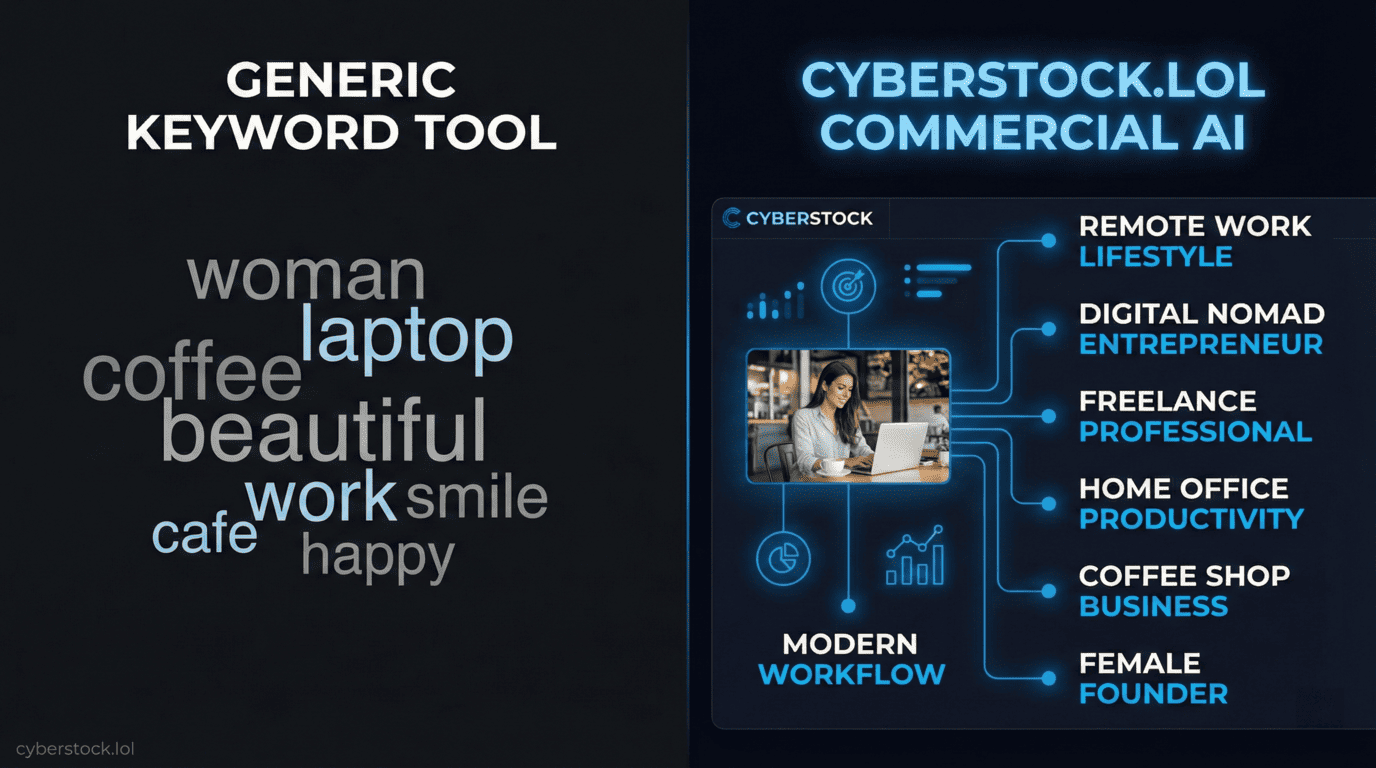
Keyword spam patterns Adobe Stock reviewers look for: keywords that clearly don't match the image content, keywords that are generic filler added to hit the 45-keyword limit ("color," "light," "beautiful," "amazing" without context), brand name keywords and celebrity names without editorial context, and duplicate concepts where the same idea is expressed 3–4 times with synonyms throughout the keyword list.
CyberStock's restricted keyword filter specifically addresses the brand name and celebrity name problem — it automatically removes terms that would trigger IP flags. The commercial relevance scoring reduces generic filler by generating buyer-intent keywords that are substantively different from one another, rather than synonym-padding.
The Pre-Submission Checklist
Apply this checklist to every image before uploading to Adobe Stock:
Technical review (100% view): Primary subject is sharp. No visible noise artifacts. No dust spots or sensor artifacts. No visible compression artifacts (for JPEG saves).
Content compliance: No recognizable faces without model release. No identifiable private property without property release. No visible logos or trademarks. AI-generated content is marked for disclosure.
AI-specific (if applicable): Check all hands at 100% view. Any text elements are legible. Background spatial coherence verified. No visible generation artifacts. Not a near-duplicate of previously submitted content.
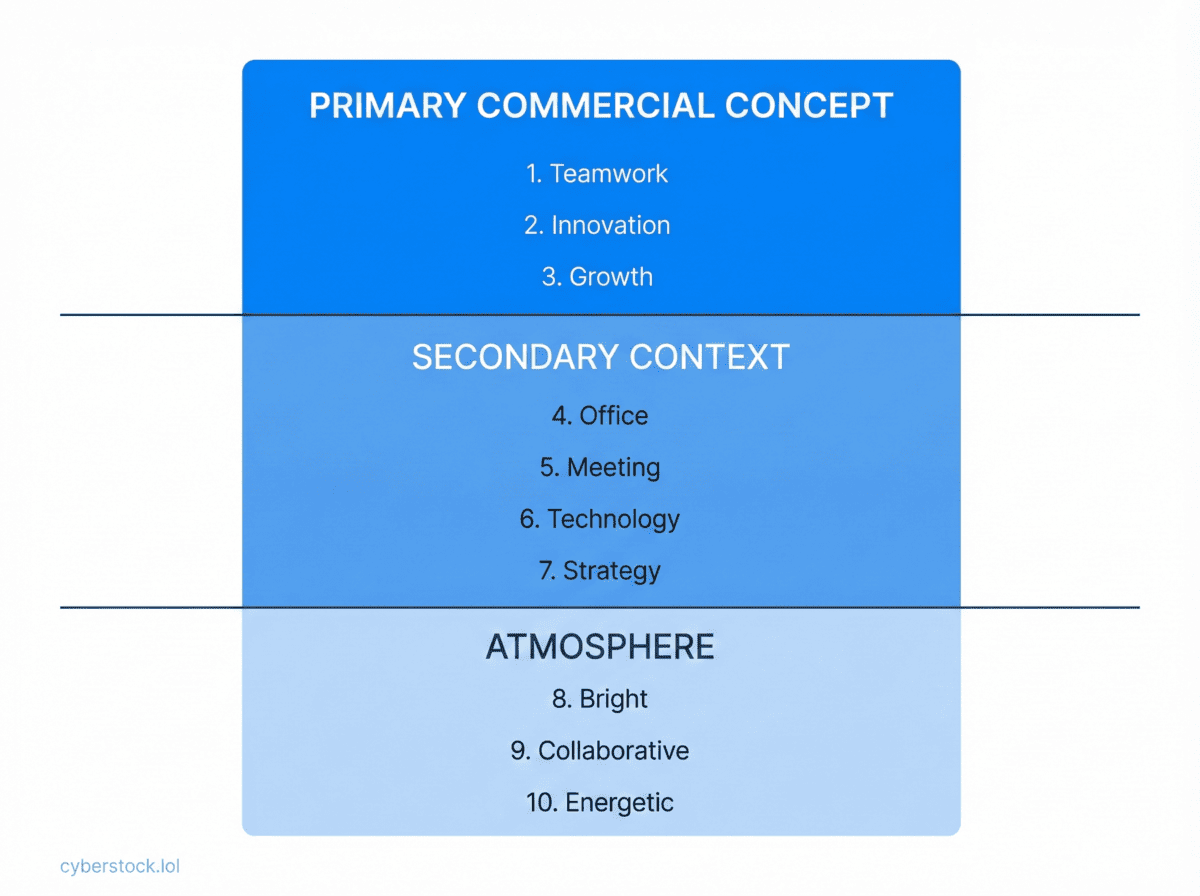
Metadata quality: Keywords in positions 1–10 are primary commercial concepts, not generic terms. No brand names in keywords (unless editorial). No keywords that clearly don't match the image. Title is 200 characters or fewer. Keyword count is ≤45.
File requirements: Minimum 4MP (8MP+ recommended). Color profile is sRGB. JPEG quality is maximum. File size is under 45MB.
Reduce rejection rates with better metadata from upload one: cyberstock.lol — compliant keywords, automatic brand name filtering, Adobe Stock CSV export.