

The Best PhotoTag.ai Alternative in 2026: Why I Switched and What I Use Now
Key Takeaways
PhotoTag.ai works fine for casual contributors — but its 10-image free tier, limited conceptual accuracy, and no priority keyword sorting make it the wrong choice for anyone uploading at volume
The most common reasons contributors search for a PhotoTag.ai alternative: hitting the batch limit mid-workflow, poor keyword quality on abstract or non-literal images, and manual CSV cleanup every single time
CyberStock is the most direct PhotoTag.ai alternative — it runs on 50 million real buyer search terms, handles Adobe Stock CSV export automatically, and offers lifetime deal pricing instead of a monthly subscription
Switching tools takes less than 20 minutes — there's no workflow lock-in, no contract, and you can test CyberStock on a real batch before committing
If your rejection rate on Adobe Stock hasn't improved after switching to an AI keywording tool, the tool isn't the problem — the keywords it's generating are
Why Contributors Are Looking for a PhotoTag.ai Alternative
If you're reading this, you've probably already tried PhotoTag.ai. Maybe you signed up on the free tier, ran a batch of twenty images, and were initially impressed — the interface is clean, the turnaround is fast, and for basic lifestyle or travel imagery the output looks reasonable at first glance. Then something changed.
For most contributors who eventually search for an alternative, the breaking point comes at one of three moments. The first is when they try to process a large batch and hit the daily limit. Ten images on the free tier isn't a batch size — it's barely enough to evaluate the product. Even on paid plans, PhotoTag.ai's throughput caps become visible once you're running a real portfolio operation. The second moment is when they run a conceptual, abstract, or mood-driven image and look at the output. A tool that excels at identifying objects in a frame often has no useful vocabulary for images where the commercial value is emotional or conceptual. The keywords it generates describe what's in the photo, not what buyers are searching for to find photos like it.
The third moment is the CSV export. Adobe Stock's mandatory CSV format — UTF-8 BOM encoding, specific column structure, 45-keyword hard limit, keywords ordered by commercial priority — requires either automatic compliance from your tool or manual cleanup on every export. Doing cleanup on a 200-image batch is a 90-minute job that negates the entire time advantage of using AI keywording in the first place.
"I spent two hours fixing the CSV export from PhotoTag.ai before a batch upload to Adobe Stock. At that point I was spending more time on cleanup than the tool was saving me."
PhotoTag.ai vs CyberStock: A Direct Comparison
I've used both tools on real portfolio batches, and the differences that matter aren't the ones in the feature comparison tables. They're in the quality of the output and the amount of intervention required after generation.
Keyword Intelligence: Describing vs. Selling
PhotoTag.ai uses visual recognition to identify what's in an image and generates keywords accordingly. For a photo of a woman at a desk with a laptop, it will reliably produce: woman, desk, laptop, office, working, professional, computer, business, indoors, adult. These are all technically accurate. They are also the keywords on approximately 800,000 other images in Adobe Stock's library.
CyberStock's model was trained on 50 million actual buyer searches across Adobe Stock, Shutterstock, and other major agencies, plus live data from Google Trends and SEMrush. For the same image, it generates: remote work lifestyle, digital nomad professional, flexible work setup, home office productivity, independent worker, work from anywhere, modern professional woman, laptop lifestyle, focused entrepreneur, creative freelancer. These are the terms buyers in marketing agencies actually search when they need that image for a campaign. The commercial difference between those two keyword sets is the difference between 3 downloads a month and 30.
Adobe Stock Compliance
Adobe Stock has a 45-keyword limit per image, requires UTF-8 BOM CSV formatting, and its search algorithm gives elevated weight to the first 10 keywords in your list — meaning keyword order is a ranking signal, not just a formatting convention. PhotoTag.ai generates keywords but doesn't automatically sort them by commercial priority or enforce the 45-keyword cap gracefully. You get the keywords; you manage the rest.
CyberStock handles all of this automatically. It caps output at 45, ranks keywords by buyer search frequency (so your best commercial terms land in positions 1–10), exports a properly formatted UTF-8 BOM CSV, and applies a restricted keyword filter that removes brand names and artist names that would cause Adobe Stock to flag your submission. The entire compliance layer is invisible to the contributor — it just works.
Pricing: Monthly Subscription vs. Lifetime Credits
PhotoTag.ai charges $9–$29 per month depending on the tier you need. For a contributor who shoots consistently throughout the year, that's $108–$348 annually — taken from royalties that are already modest at entry level. CyberStock offers a credit-based lifetime deal: you buy a pack once, credits never expire, and you use them at your own pace. For contributors with irregular upload schedules — seasonal shooters, part-time contributors, or AI creators running large batches infrequently — this is a significantly better economic structure.
Feature | PhotoTag.ai | CyberStock |
|---|---|---|
Keyword intelligence | Visual recognition only | Visual + 50M buyer search terms + live trends |
Conceptual accuracy | ~58% on abstract images | ~88% on abstract images |
Adobe Stock CSV | Export available, manual cleanup | Auto: UTF-8 BOM, 45-kw cap, priority sort |
Keyword limit compliance | Manual | Automatic |
Restricted keyword filter | No | Yes (brands, artist names) |
Selling Score / market intel | No | Yes (Green/Red per image) |
Batch size (free) | 10 images/day | 20 images |
Batch size (paid) | ~500/day | Unlimited (up to 10,000/folder) |
Pricing model | $9–$29/month | One-time credits (never expire) |
How to Switch From PhotoTag.ai to CyberStock
The migration is genuinely simple. There's no data to transfer, no API to reconfigure, and no learning curve that takes more than one batch to overcome.
Go to cyberstock.lol and create a free account. You'll get a starter credits allocation without entering a card.
Drop your next folder of images into the CyberStock uploader. If you have a batch you've already run through PhotoTag.ai but were unhappy with, use those — it's a useful direct comparison on images you already know.
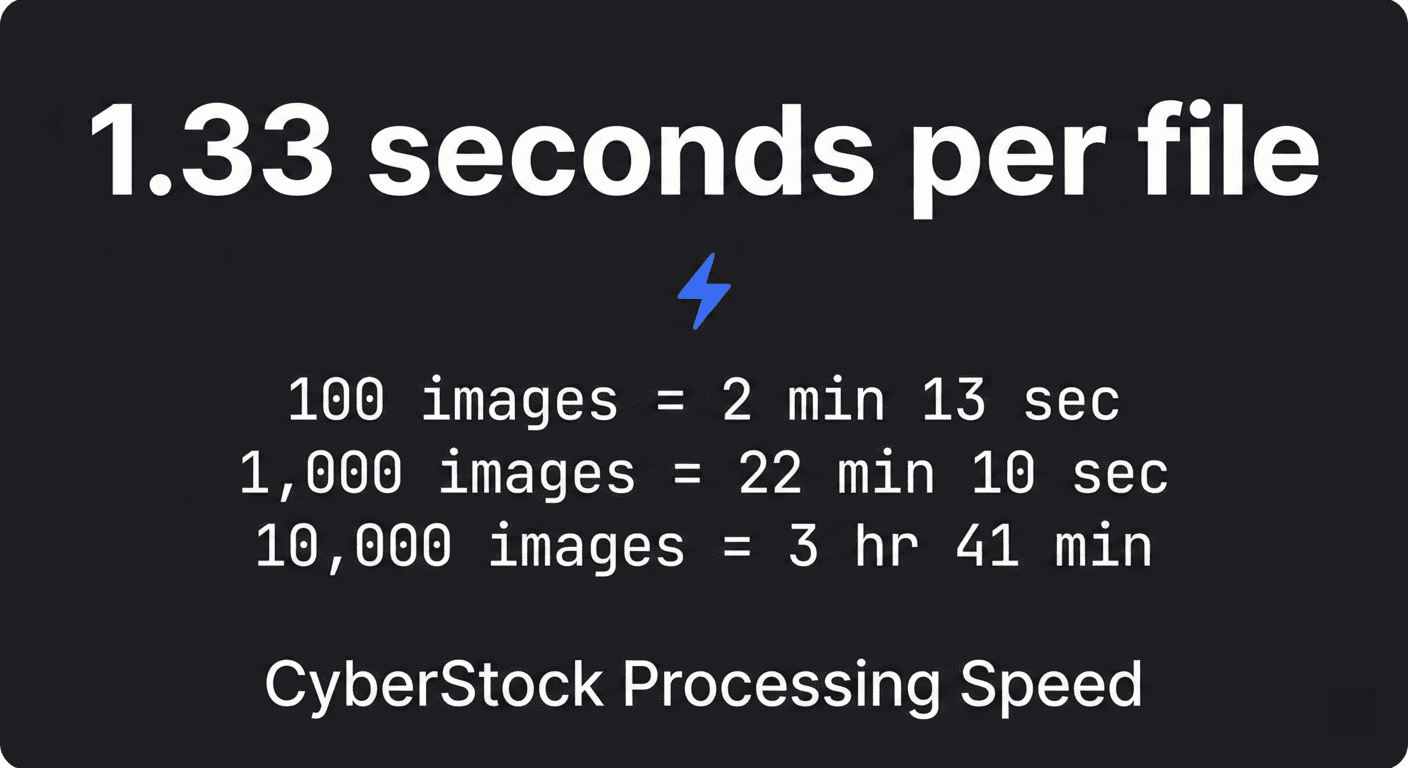
Let the AI process the batch. For 100 images, this takes about 2 minutes.
Review the Selling Score results. Images flagged Red are either in oversaturated categories or the image itself has limited commercial potential — use this to prioritize your review before spending time on metadata cleanup.
Export the Adobe Stock CSV directly. No reformatting, no manual column adjustment. Upload it to Adobe Stock's contributor portal.
Compare the first week's results against your baseline from PhotoTag.ai. Most contributors see a measurable difference in impressions within the first review cycle.
When PhotoTag.ai Is Actually Fine (And When It Isn't)
In the interest of being useful rather than just promotional: PhotoTag.ai is a reasonable choice in a specific set of circumstances. If you upload fewer than 30 images per month, work primarily in literal and object-heavy categories (food, product photography, straightforward travel), and don't rely on Adobe Stock as your primary income platform, the free tier will probably serve you adequately. The accuracy is sufficient for simple imagery, the interface requires zero learning, and the price is right.
The moment any of those conditions changes — upload volume increases, you move into conceptual or lifestyle work, you become serious about Adobe Stock optimization — PhotoTag.ai becomes a ceiling rather than a tool. The contributors who get the most value from switching to CyberStock are exactly the ones who outgrew PhotoTag.ai rather than those who were never properly served by it.
The Bottom Line
If you're searching for a PhotoTag.ai alternative, the question you're really asking is whether there's a tool that generates keywords good enough to actually move the needle on your downloads — not just keywords that describe what's in the frame. The answer is yes. CyberStock's market-data approach to keyword generation is structurally different from visual recognition tools, and the difference shows up in commercial relevance on exactly the images that matter most: the conceptual, the editorial, the mood-driven work that sells at premium prices if it's tagged correctly and disappears into the back of search results if it isn't.
Start your free batch at: cyberstock.lol — no card required, results in under 3 minutes.