
AI Image Upscaler for Microstock (2026): Elevate Your Portfolio & Boost Sales

Using an AI image upscaler for microstock allows you to enhance image resolution, detail, and clarity to meet strict agency standards and attract more buyers. These tools use machine learning to intelligently enlarge photos, resulting in higher acceptance rates, increased sales potential, and a more efficient content preparation workflow for platforms like Adobe Stock and Shutterstock.
Key Takeaways
Quality is Non-Negotiable:Low-resolution images are a primary reason for rejection on microstock platforms. AI upscaling directly addresses this by improving technical quality.
AI Outperforms Traditional Methods:Unlike basic interpolation, AI upscalers analyze and recreate details, preserving textures and reducing artifacts for a professional finish.
Boost Acceptance and Sales:High-resolution, detailed images are more likely to be approved by agencies and downloaded by discerning buyers who need quality for large-format use.
Unlock Hidden Value:AI upscaling enables you to repurpose older, lower-resolution assets from your archive, turning them into valuable, sellable content.
Workflow Integration is Key:The real power comes from integrating upscaling into a broader AI-powered workflow that includes metadata generation, optimizing your entire process from edit to upload.
Look for Essential Features:When choosing a tool, prioritize features like batch processing, artifact removal, noise reduction, and integration with other creative tools.
Beyond Resolution:High-quality upscaled images improve the accuracy of AI concept recognition, leading to better, more relevant keywords and titles that drive visibility.
The Microstock Quality Imperative: Why Resolution Matters More Than Ever
In the competitive microstock landscape, technical quality is the gatekeeper to success. Buyers demand crisp, clear, and detailed images for everything from web banners to large-scale print advertisements. Agencies like Adobe Stock, Shutterstock, and Getty Images enforce strict technical requirements to maintain the value of their collections, and falling short means instant rejection.
The Cost of Low-Resolution Images in Microstock
Submitting a technically flawed image isn't just a missed opportunity; it's a waste of your most valuable resource: time. A rejection due to insufficient resolution or digital noise means you have to go back, re-edit, and re-submit, disrupting your entire workflow. Worse, a portfolio filled with low-quality submissions can negatively impact your contributor rating and overall visibility on some platforms.
Meeting Agency Standards and Buyer Expectations
Most major microstock agencies require a minimum resolution, which can vary but is typically several megapixels. However, buyers frequently seek much larger files for maximum flexibility. An image that looks great on a small screen can reveal noise, softness, and artifacts when viewed at 100% magnification—the standard for agency review. An AI image upscaler is your first line of defense, ensuring every pixel meets the mark.
What is AI Image Upscaling and How Does It Work?
AI image upscaling is a sophisticated process that uses artificial intelligence, specifically generative adversarial networks (GANs) and other neural network models, to increase the resolution of a digital image. It's a significant leap forward from older, more basic methods.
Beyond Traditional Upscaling: The AI Difference
Traditional upscaling, also known as interpolation (e. g., bicubic or bilinear), essentially guesses what the new pixels should be by averaging the colors of surrounding pixels. This often results in a blurry, soft, or blocky image that lacks genuine detail.
AI upscaling is fundamentally different. The AI model is trained on millions of high-resolution and low-resolution image pairs. It learns to recognize patterns, textures, and objects. When you give it a low-resolution image, it doesn't just stretch the pixels—it intelligently reconstructs and adds new, realistic detail based on its training, resulting in a remarkably sharp and clean final image.
Expert Insight: Think of traditional upscaling as stretching a small photograph. The image gets bigger, but the information within it becomes diluted. AI upscaling is more like a skilled artist meticulously recreating the photograph at a larger size, adding plausible details where they were once missing.
Top AI Image Upscalers for Microstock Contributors in 2026
Choosing the right tool depends on your specific workflow needs. While many upscalers exist, some are better suited for the unique demands of microstock. Here are our top recommendations, focusing on quality, efficiency, and features relevant to content creators.
Cyberstock (as part of an integrated workflow)Best for: Contributors seeking an end-to-end optimization workflow, from image quality to sales-driven metadata.Strength:While not a standalone upscaler, Cyberstock's platform is designed to work seamlessly with high-quality assets. Upscaling your images first dramatically improves itsBest Concept Recognition, leading to hyper-accurate, marketplace-ready titles and keywords.
Strength:The platform's uniqueSelling Scorefeature analyzes your upscaled and keyworded image, predicting its sales potential before you even upload it.
Limitation:Requires you to use a separate dedicated upscaling tool first; it optimizes the critical metadata step that follows.
Topaz Gigapixel AIBest for: Professional photographers who need maximum control and the highest quality output.Strength:Widely regarded as an industry leader for its exceptional detail recovery and natural-looking results.
Strength:Offers multiple AI models tailored for different image types (e. g., portraits, landscapes, architectural).
Limitation:It is a premium, paid software and can have a steeper learning curve compared to simpler online tools.
VanceAI Image UpscalerBest for: Creators who need a fast, web-based tool with multiple AI-powered features.Strength:Offers a suite of tools beyond upscaling, including noise reduction, sharpening, and artifact removal.
Strength:The online interface is user-friendly and supports batch processing, which is excellent for microstock workflows.
Limitation:The free version has limitations on file size and the number of images you can process.
Let's EnhanceBest for: Batch processing and cloud-based convenience for large volumes of images.Strength:Specializes in processing many images at once, making it ideal for preparing large photo shoots for submission.
Strength:Offers presets specifically for printing and digital use, which aligns with microstock buyer needs.
Limitation:Operates on a credit-based system, which may not be cost-effective for occasional users.
AI Upscaler Feature Comparison for Microstock
Tool / Workflow | Primary Function | Key Microstock Advantage | Processing Type | Best For |
|---|---|---|---|---|
Cyberstock (Workflow) | AI Metadata & Sales Prediction | Connects upscaled quality to better keywords and a predictableSelling Score. | Cloud-based | Optimizing the entire submission process for sales. |
Topaz Gigapixel AI | Image Upscaling & Enhancement | Superior detail reconstruction for premium quality submissions. | Desktop (Mac/PC) | Maximum image quality and fine-tuning control. |
VanceAI | All-in-One AI Image Editing | Quickly fixes multiple issues (noise, blur, resolution) in one platform. | Cloud-based & Desktop | Fast, multi-purpose image enhancement. |
Let's Enhance | Batch Image Upscaling | Efficiently handles large volumes of photos for submission. | Cloud-based | High-volume contributors. |
Unlocking Microstock Success: Key Benefits of AI Upscaling
Integrating AI upscaling into your process isn't just about making pictures bigger; it's a strategic move to improve your bottom line and professional standing.
Boosting Acceptance Rates and Reducing Rejections
The most immediate benefit is a dramatic reduction in rejections for technical reasons like “Noise,” “Poor Lighting,” or “Focus/Blur.” By upscaling and cleaning your images, you submit files that sail through the review process, getting your content to market faster. This directly addresses the need forMicrostock Policy Compliant Metadataand assets, reducing the risk of warnings or bans.
Enhancing Detail and Clarity for Discerning Buyers
A corporate client looking for a billboard image or a magazine editor needing a full-page spread will filter for the highest resolution possible. AI-upscaled images retain sharp edges, intricate textures, and clean gradients, making them far more appealing to professional buyers and commanding a higher potential price.
Repurposing Content: Breathing New Life into Old Assets
Do you have a folder of older images shot on a lower-megapixel camera? Or perhaps some heavily cropped photos that are now too small to sell? AI upscalers are a game-changer for your archive. You can revisit these forgotten assets, enhance their resolution, and submit them as new, high-value content, effectively monetizing work you've already done.
Integrating AI Upscaling into Your Microstock Workflow
To maximize efficiency, you need to know exactly when and how to use these powerful tools. It's not just about running a file through the software; it's about making it a seamless part of your production pipeline.
A Step-by-Step Microstock Preparation Process
Initial Culling and Editing:First, select your best shots. Perform your standard edits like color correction, exposure adjustments, and basic retouching. Do not add sharpening at this stage.
AI Upscaling and Enhancement:Export your edited image and run it through your chosen AI upscaler. This should be donebeforefinal sharpening. The AI works best with a clean, unsharpened file. Use the tool to increase resolution to at least 2x, and apply any built-in noise reduction or artifact removal features.
Final Review and Sharpening:Open the upscaled image and inspect it at 100%. Apply a final, subtle layer of output sharpening tailored to the new, larger size. Check for any AI-induced artifacts that may need minor manual correction.
Export for Submission:Save the final image as a high-quality JPEG or TIFF, adhering to the specific requirements of your target microstock agency.
A Seamless Workflow: From Upscale to Metadata with Cyberstock
The biggest efficiency gains come from combining AI-powered tools. Once you have your perfectly upscaled, high-resolution image, the next bottleneck is metadata. This is where an integrated approach shines.
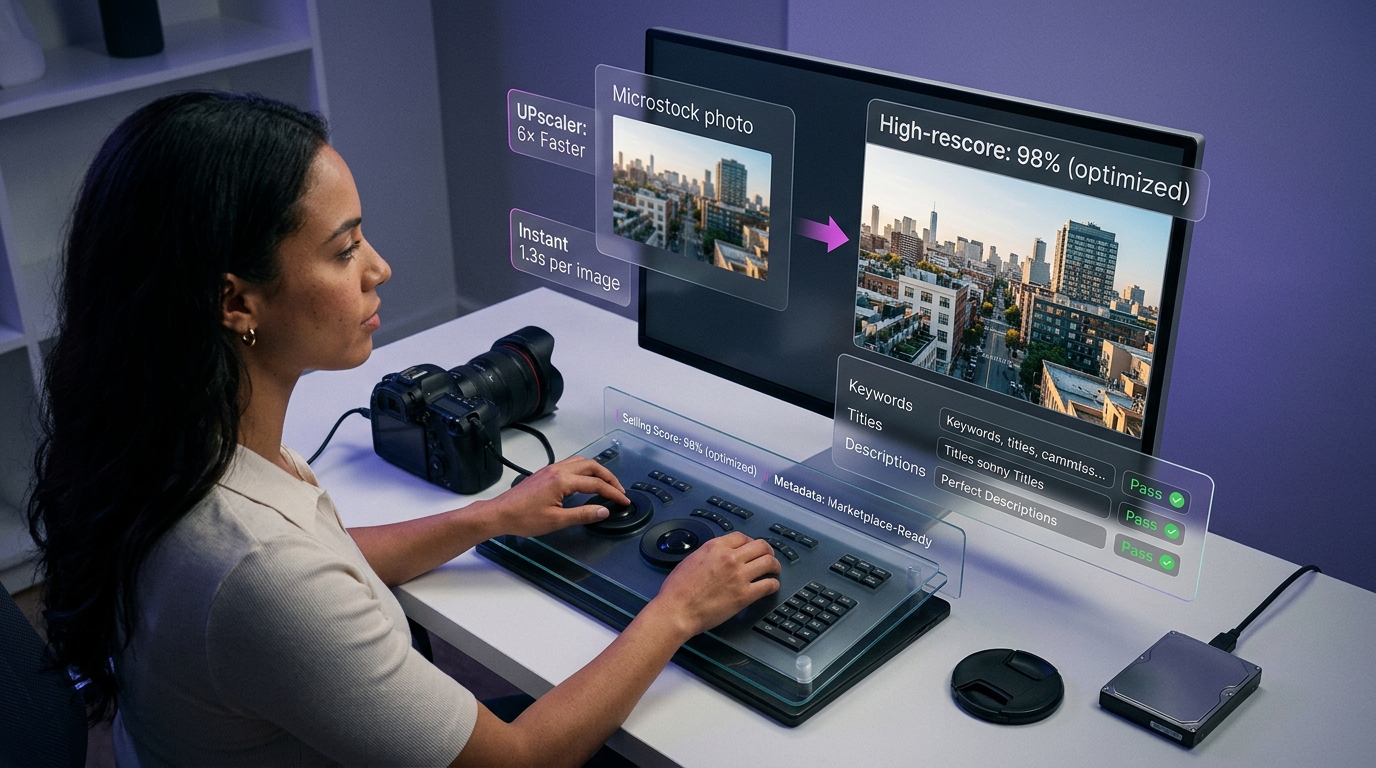
Workflow Tip: After upscaling, drag your high-quality image into an AI keywording tool. A clean, detailed image allows the AI to perform better concept recognition. For instance, a tool like Cyberstock can process this clean file and generate marketplace-ready keywords and titles in just 1.3 seconds per image, creating a workflow that is up to 6x faster than manual or less advanced methods.
Overcoming Common Challenges with AI Image Upscalers
While AI technology is impressive, it's not foolproof. Being aware of potential issues and knowing how to address them will ensure your final images are professional and authentic.
Addressing Artifacts and Over-Smoothing
Sometimes, AI can misinterpret fine details, leading to strange patterns (artifacts) or an unnatural, plastic-like smoothness, especially on skin or subtle textures.Solution:Use a tool that offers adjustable settings. Start with a lower level of enhancement and gradually increase it. It's often better to have a slightly less sharp but more natural image than an over-processed one. Sometimes, you may need to mask areas in Photoshop and blend the upscaled version with the original to retain critical textures.
Maintaining Authenticity and Artistic Intent
Your photograph is your creative work. The goal of upscaling is to enhance its technical quality, not to alter its fundamental character.Solution:Always compare the upscaled image to the original. Does it still convey the same mood and story? Avoid AI models that aggressively change colors or add overly stylized details unless that is your specific creative goal. The best upscaler is one that feels invisible, simply making your original vision clearer and larger.
The Future of Microstock: AI Beyond Upscaling
Image resolution is just one piece of the puzzle. The most successful microstock contributors in 2026 and beyond will be those who leverage AI across their entire workflow, from creation to sales analysis.
The Rise of AI-Powered Keywording and Titling
As mentioned, a high-quality upscaled image is the perfect input for an AI metadata generator. The clarity and detail allow the AI to achieve superiorBest Concept Recognition. It can distinguish between a “business meeting” and a “startup brainstorming session” or identify specific emotions and actions with greater accuracy. This leads to more relevant, long-tail keywords that attract niche buyers.
Maximizing Your Earning Potential with Data-Driven Insights
The ultimate goal is not just to get your images accepted but to ensure they sell. This is where the next generation of AI tools provides a massive competitive edge. By analyzing your newly upscaled and keyworded content, these platforms can predict its commercial viability.
For example, an integrated solution likeCyberstock's Selling Scoreevaluates your file against millions of data points from real buyer searches. It tells you *before* you upload whether an asset is likely to be a top performer or a flop, allowing you to focus your efforts on content with the highest ROI. This transforms your workflow from a guessing game into a data-driven business strategy.
Frequently Asked Questions About AI Upscaling for Microstock
Is using an AI upscaler allowed by microstock agencies?
Yes, generally. Agencies' primary concern is the final technical quality of the image. As long as the upscaled image is clean, sharp, and free of significant artifacts, it is perfectly acceptable. They prohibit content that is fraudulent or misrepresentative, but enhancing resolution is considered a standard editing practice.
Can I use an AI upscaler on my smartphone photos for microstock?
Absolutely. Modern smartphone cameras are powerful, but their small sensors can sometimes produce noisy or soft images, especially when cropped. AI upscaling is an excellent way to elevate high-quality mobile photos to a professional, submittable standard.
How much can I realistically upscale an image?
A 2x to 4x upscale is generally the sweet spot for maintaining high quality. Pushing to 6x or beyond is possible with top-tier software but should be reserved for very high-quality original files. Always review the output at 100% to check for degradation.
Does AI upscaling work for vectors or illustrations?
AI upscalers are primarily designed for raster images (like JPEGs and PNGs). For vector files (like AI or EPS), you don't need an upscaler because they can be scaled to any size without loss of quality. For rasterized illustrations, AI upscalers can work well, especially those with specific models for digital art.
Will AI upscaling fix a blurry, out-of-focus photo?
No. AI upscaling can improve sharpness and clarity, but it cannot fix a photo that was fundamentally out of focus or suffered from significant motion blur. It enhances the detail that is already there; it cannot create detail that was never captured in the first place.
Conclusion: Elevate Your Microstock Game with AI
In the crowded microstock marketplace, every technical advantage counts. Anai image upscaler for microstockis no longer a niche tool for specialists; it's an essential component of a modern, efficient, and profitable workflow. By enhancing your resolution, you directly combat the most common reasons for rejection, appeal to high-value buyers, and unlock the dormant potential in your back catalog.
Your Next Step to a More Profitable Portfolio
However, true optimization doesn't stop at pixels. The smartest contributors understand that a high-quality image is the foundation for high-quality metadata. By pairing a best-in-class upscaler with a powerful AI keywording and analytics platform, you create a streamlined process that not only gets your content accepted but gives it the best possible chance to sell.
If you're ready to transform your entire submission process, consider exploring howintegrated AI solutionscan connect your enhanced images to sales-driven data, helping you work smarter and earn more.